Note: Google rebranded NotebookLM to Gemini Notebook on 16 July 2026 – same great tool, new name. You can find it at notebook.google
Last Tuesday, I was on my way to a client when it happened.
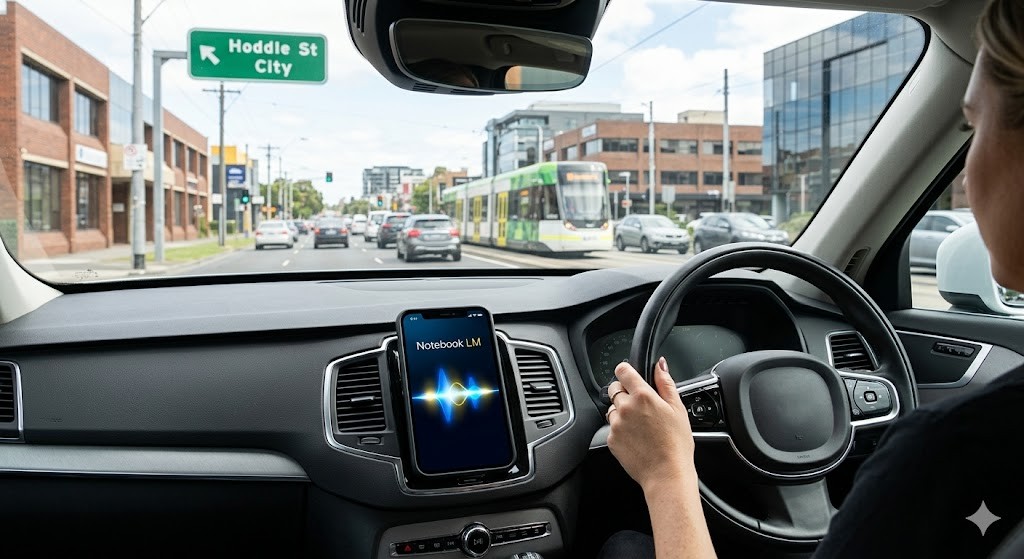
I was listening to a NotebookLM audio summary of my own training program (not my voice, but a slightly American AI-generated one) and it made a point I’d written myself. I missed it. I was concentrating on merging onto Hoddle St.
So I interrupted. Mid-drive. And asked it to go back.
It did.
That moment stuck with me more than almost anything I’ve experienced with AI this year. Not because the technology is perfect (it’s not), but because something about it felt genuinely useful in a way I hadn’t expected. I’ve written about NotebookLM (in an earlier post) and yes I’ve also shared the moment the interactive Podcast Studio feature genuinely scared me! – but most people only discover the audio feature and then stop there.
What NotebookLM can actually generate
Here’s what NotebookLM can generate from your uploaded documents:
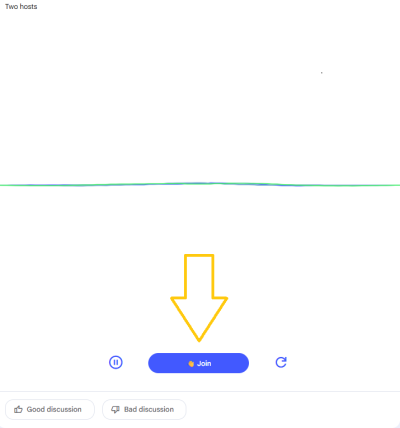
- Audio Overviews: Two AI hosts discuss your content, and you can jump in with questions in real time, even while driving.
- Video summaries: A visual walkthrough of your key content.
- Infographics: Complex information turned into something you can actually share around the office as posters.
- Slide decks: A starting point for presentations without staring at a blank screen.
- Custom reports: Tailored to a specific audience (whether that is a manager, a board, or a frontline team), though these are currently text only with no graphical or design elements.
- Flashcards: Bite-sized revision tools, which are a preferred learning tool for many.
- Mind maps: A visual overview of how ideas connect.
- Quizzes: A quick way to test understanding of your content.
The most exciting part is that the updated NotebookLM Studio now allows you to specify a custom prompt before you generate your assets. This gives you much more control over the output, and because the audio assets can now be produced in more than 50 different languages, it makes your training materials more accessible to a global audience than ever before.
You simply upload your source material (such as a policy, a report, a chapter, or a set of meeting notes) and NotebookLM works strictly from that. There are no hallucinated facts from the internet, just your own content, reimagined in a format that actually suits the person learning it. That level of control and accuracy matters more than most people realise.
What I Actually Did With It
I’d been developing a new training module and wanted a sense of whether the structure held together before I ran it with a client. Instead of reading my own notes back for the fourth time, I uploaded it to NotebookLM and put it on while I drove.
A few things happened that I didn’t expect.
The hosts flagged a gap I’d missed. There was a transition between two sections I’d mentally filled in, but hearing an AI try to explain it made the gap obvious. I asked a question I’d been quietly avoiding: “Is there too much content in the first half?”
It didn’t give me a simple yes or no. It walked me through the structure and reflected it back in a way that helped me make my own call. And, odd as this sounds, it held my attention better than re-reading my own notes. There’s something about hearing content rather than reading it that surfaces different things.
NotebookLM for Learning: Meeting People Where they are
We know people learn in different ways, which is why good training has always used multiple modalities. But there’s often a practical gap between what we design for a workshop and what someone can access on their own time, in their own way.
NotebookLM helps close that gap by taking content you have already created and making it available in formats that suit self-directed learners. It allows you to offer audio for the commute, a clear infographic for a quick reference, and even a video review with a visual demonstration. For those who want to go much deeper, the interactive conversation mode provides a way to engage with the material on a whole new level.
It doesn’t replace the facilitated experience. It extends it.
Not everyone learns through text. Not everyone has the time or the quiet to sit and read. Some people need to hear something. Some need to see it visually. Some need both.
NotebookLM doesn’t just save you time. It gives you a way to meet learners where they actually are.
And it’s not just for the workplace. I’ve been thinking about this a lot lately when it comes to kids. A dense study guide that a teenager won’t touch? Upload it. Turn it into an audio conversation they can listen to on the way to school. Generate an infographic that breaks down the key concepts visually. Let them interact with the material in a way that actually works for how their brain is wired.
We’re so used to telling people to adjust to the content. This flips it.
The Question I Keep Coming Back To
Am I comfortable with AI delivering my training materials directly to clients?
Honestly? Not yet. And I think that’s worth sitting with.
There’s something about facilitation (the pauses, the read of the room, the decision to slow down or push forward) that I’m not ready to hand over. A podcast host, however convincing, doesn’t notice when someone’s gone quiet because they’re confused, rather than bored.
But as a tool for self-directed learning, for revision, and for repurposing content into formats that actually land? It’s one of the most practically useful things I’ve come across.
If You Want to Try It
NotebookLM is free. Find it at notebooklm.google.com. Upload a document, a policy, a study guide, a report, or a set of notes, and start exploring what it can generate. Try the audio first, then see what else it offers. You do need a google login to begin!
Whether you’re in L&D, running a small business, or just trying to help a reluctant student engage with their Year 11 biology notes, it’s worth ten minutes of your time. I’d love to hear what you discover. And if you’d like a practical session on embedding tools like this into your team’s workflow, email me at [email protected]